Tuesday, August 31, 2010

Back online and feeling fine!

My new PC is here!!  And without a moment to spare!  I have lots to catch up on.  While working from the library was ok, you really can't do much about the photos.  The library PC's are just not right for uploading your photos. 

While gone, I've made some Dreamweaver holiday samples and worked on some Copic, Stampscapes, my new MCC classes and more!  The kiddos go back to school tomorrow, so I can be assurred now that everything will start to get done!  That includes blogging!

I've got a few classes coming up that I'd like to share!  First on Friday, September 10th at the Scrapbook Cupboard, I'll be teaching this class...


There are many different easy to do Metal techniques in this.  Obviously lots with the Cuttlebug but some hand embossed stuff too!  While I love to work with metal, it's not always workable into the schedule.  This was supposed to be a class in July, and then in August, but I really slacked off this Summer and didn't have it up in enough time for people to sign up.  On the day it was supposed to run in August 4 people called to sign up.  After the other 2 people who signed up were called and told it was cancelled.  Oh, {*sigh*} well I have no one to blame - so I'll blame the call of the pool...  :-)

The following day, I'm headed up to Ink About It in Westford, MA for two metal classes.  One is the tag book I created a few years back.  It's filled with lots of different basic metal embossing techniques...


This class is in the morning.  Then in the afternoon, I'm doing a card class.  It's a great way to see how you can incorporate the techniques you learned into something else - other than tags...


This is the Faux Tin Litho technique.  It can be done with ANY stamp, not just this one.  This just happened to be a holiday stamp I grabbed.  Then there is this one...

Ok, you are going to have to turn your head to view.  I see now that I haven't finished installing all the software into my new PC and I have not editing software to turn this.  The next one too.

Not as Holiday-ish as the others but put on a little saying that says "Happy Whoolidays" and you'll be fine!

I'm looking forward to teach those two classes.  And boy, oh boy and I ready to get back into a routine!

I have lots more to share but think it best to load that software first.  I'm going to do that now.  But he's a video I shot and then edited for Just Imagine Crafts.  The owner, Bobbie is a wonderful woman!  She's here in MA for the Summer and Bev and I were happy to do this on the little Flip camera my husband owns!  I'm so happy with that little camera, I bought a HD one for me!!  It'll be here soon!  The Flip comes with it's own software, so I was able to edit that right away!  Here's a link to the video...


OK, now I'm really feeling uncomputer savvy.  I KNOW I can put the video into the blog but I can't figure it out.  It must be the incessant "MOM, MOM, help me with...."  I'm hearing.  Only one more sleep until school starts!!!

Monday, August 16, 2010

Gone Viral...

I have some projects to blog about but right now, I'm still fighting a virus.  Not me, personally but my poor little PC. I finally was able to install a good virus software (I had Trend) but it wasn't catching everything (Spyware Doctor), there was definitely still something going on inside.  So while at Bella Art teaching the other day, hubby installed McAfee.  It appears to have scrubbed most of the virus away but I'm still left with just this tiny problem....

When I do a google search for anything, and I click on one of the links it gives me, it doesn't always send me to where it was supposed to send me too.  UGH.

At first I thought maybe it was Internet Explorer's problem.  An Aunt suggested I download Chrome (which I must say, I really like!) but it still does it with Chrome.  BUT!  Here's the strange part... it only does it when I search through the Chrome address bar.  If I click on HOME and then do a search through Google, no problems.  So.... that's what I've been fighting with lately.

If anyone out there has any suggestions, I'd love to know.  Otherwise, I think I'm going to live with what I've got and get going with all my many projects....

more tomorrow (as long as my PC stays stable).

Sunday, August 1, 2010

More Art...

As promised, here are some more of the art I've been working on lately.

I couldn't believe that after I made this post last night, I was so wide awake thinking of different ways to do some of the upcoming projects I have due.  Now to write them down so I don't loose the ideas...

Here's the Home Decor Collage Piece that I'm teaching at the Scrapbook Cupboard on the 13th...


It's all about the waxy gooness on this one.  YUM!

Then I created some cards for a class at the Scrapbook Cupboard called, It's All About the Metal...


I LOVE me some metal!  And this goes just a bit further than you might think!  All sorts of metal in this... :-)

I also made a card for the Card Swap I host once a month.  Well, I made 8 of these for the Card Swap and this is the one I came home with.  Have you seen this Cuttlebug folder before?  Yup, how simple was THAT!


OK, I say it was easy but really - they took some time to intricately paint each of those lines without going over too much.  It's all part of the art process, though!  I was happy to do it.  As for the saying,  I own a stamp set with a bunch of different birds on it with some cute sayings, the "What's the Word, Bird." saying was in that. 

I'm off to have lunch with the in-laws today and then hopefully come home to create more art.  I'm really feeling it today and kinda bummed I have plans...  Oh well. 

Some art to share...

I finally have a moment to post some artwork that I have to share with you!  Wanna see?

First, here are my CHA -Summer Dreamweaver Samples:

This is a new stencil for me.  It's number LG 679.  Before I even put the stencil to the paper, I used my Copic airbrush system to airbrush the back ground.  A light speckled blue background was all I was looking for.   Then I used the original Dreamweaver Stencil paste to paste on the scenery.  After I let that dry COMPLETELY, I then used my Copic markers to color each of the individual parts.  I do this with a steady hand right on top of the dry paste.  Don't bother putting the stencil back over the design, if you are too heavy with your hand, you just might accidentally over color the area and bleed the color to the paper.  It's important that the color just stays right on top of the original Dreamweaver Paste.  That's the one with the Maroon label.  :-)

This is the BRAND NEW CHA Summer design!!  It's LJ 902.  I made about 10 different samples using this stencil as I just loved playing with it.  All but this one made it to the round file.  (I can be picky with my art if it doesn't come out right!)  I used the Yellow embossing paste on white watercolor paper.  Watercolor paper is kinda lumpy bumpy, so it adds a nice texture.  Once the yellow paste was dry, I placed the stencil back on top of the design and then used my picasso stencil (that'sll 332) to color in the leaves and stems green.  For the green, I used the oil based Art Stix and a small stencil brush.  The center of each of the daisy flowers has black flowersoft.  It's the fine flowersoft so it's not too chunky.  
Now, if you click on the photo, you might notice that some of it looks shiny.  That's because I didn't realize how long the art stix were going to take to dry.  Hours after I put it on, it still was wet.  So, I threw down some green glitter on it, and it stuck!  I was actually quite happy with the green glitter look once finished. 

Ohhh... this is one of the new Summer releases!  Wheat!  It's item number LL 3008.  This is on Ten Seconds Studios Dark Chocolate Brown metal.  It's actually a really cool process.
First, you need to own a paper stump.  Place your stencil down onto a mouse pad.  Place the metal down on top of the stencil with the color face down.  Use the paper stump to rub over the stencil area, revealing the design.  You'll notice in my design that it's on their three times.  ONLY do the stencil rubbing on the metal twice!  Use your paper stump to really get into the areas of the stencil.
Flip the stencil over and use a sanding block (emery board or other type of sandpaper) to sand off just the raised areas of the design.  Try very hard NOT to hit the other areas.  You might want to push the other areas flat with your paper stump first.
Once you've sanded the areas, use your paper stump to completely flatten the entire piece of metal.  YES!  I said FLATTEN the piece of metal.  You'll notice that because you already sanded it, the images are still there!  Now you can use the stencil on the front of the metal.  Attach it on with repositionable tape and then use the Metallic Silver Paste to paste on a Wheat stalk in the middle of the two that are sanded.  Let that dry completely.  After it's dry, place your stencil back on to the pasted design and use alcohol inks and an applicator to add a little bit of color to the metallic paste.
Lastly, I used just a wheel from Merc Art to add a little bit of texture around the edges.  Sanded those and viola!  Done!
OK, I know this was a LOT!  Let me know if you'd like a step by step tutorial with photos and I'll do it!  But you gotta let me know you want it!

Oh, this is one of my FAVORITES!!!  I'm so gonna repeat this in a class soon!  This is the sign stencil number LG 684. As well as the itty bitty Season's Greetings, number LS 91. 
I love this one!!
It's all done on blue cardstock.  First, use a white pigment ink to add a little bit of texture to the background.  Then I used black matte embossing paste on the sign stencil.  While that was drying, I measured the inside of the sign and cut a small piece of the wood paper from Creative Imaginations and used the Season's Greetings stencil and Glossy white paste to stencil in the middle of the wood paper.  I let all that dry.
After it was dry, I placed the sign stencil back on and added a little bit of the palette glue and the NEW Metallic F/X Mica Powder Gold Dust to parts of the sign.  I also put the stencil back ontot the Season's Greetings design and colored the words with red oil based Art Paint Stix.  After adhereing the sign into the middle of the cut out area of the signpost, I then used glossy dreamweaver paste - as is! - to add a little bit of snow to to the bottom of the scenery.  Now, I thought I was done with this after I did that and I needed to run an errand.  Well, while driving, I realized that I needed to add just ONE more element to this card.  I NEEDED a little sparkle!  So, before the white glossy Dreamweaver paste dried, I embedded just a tiny amount of white glitter.  Just to add that snowy sparkle!


The NEW Peacock!  My friend, Mimi's favorite stencil.  She was with me when I started using this stencil.  She accidentally saw it before she was supposed to.  Oops.  She promised NOT to say anything but as soon as they the design was released to the public, she told Bev (the owner of the store I work at) that she was on the list for when they came in.  I'm happy to say, that I KNOW that Miss Mimi is a proud owner of this beautiful stencil!  I bet you are wondering what number this stencil is - so you can order your own!  It's LG 730.  Get it, now!! It's simply gorgeous!  Have you seen the other samples the other gals on the Dream Team have done with it.  SO much!!!  Go look!  Their blogs on on the right -------> over there------> go look!
This was my sample on the Dreamweaver blog.  YAH!  I love it!  Go take a peek!

Whew!

So, I've been a little busy.

Not only have I created those wonderful samples for CHA but I've also got a few samples of classes at the Scrapbook Cupboard too! I was going to show them here tonight but the photos appear to still be on my phone.  I'll grab them and get them up for tomorrow.  I promise!

Monday, July 12, 2010

Vacation is over...

It's with some sadness that I must admit.... vacation is over.  The children have been out of school for a while but last week, Patrick had it off and we stayed busy with lots of family fun!  Let's see, we roasted marshmallow's for 'Smores...

We watched sunsets

We swam in the pool

We went to Woods Hole, MA for a scenic trip to the Science Aquarium and Nobska Lighthouse (thanks Kerriann for suggesting!)


We went to the Museum of Science, where we watched the 3D Shark movie, looked at the HUGE whale exhibit, watched the lightening show, looked out over the harbor (that's 'hahba', if you say it right!)

Partied with friends - ok, so this pool is empty but I was having so much fun I didn't get any pictures!!

Enjoyed the flowers

Make 2 1000 piece puzzles

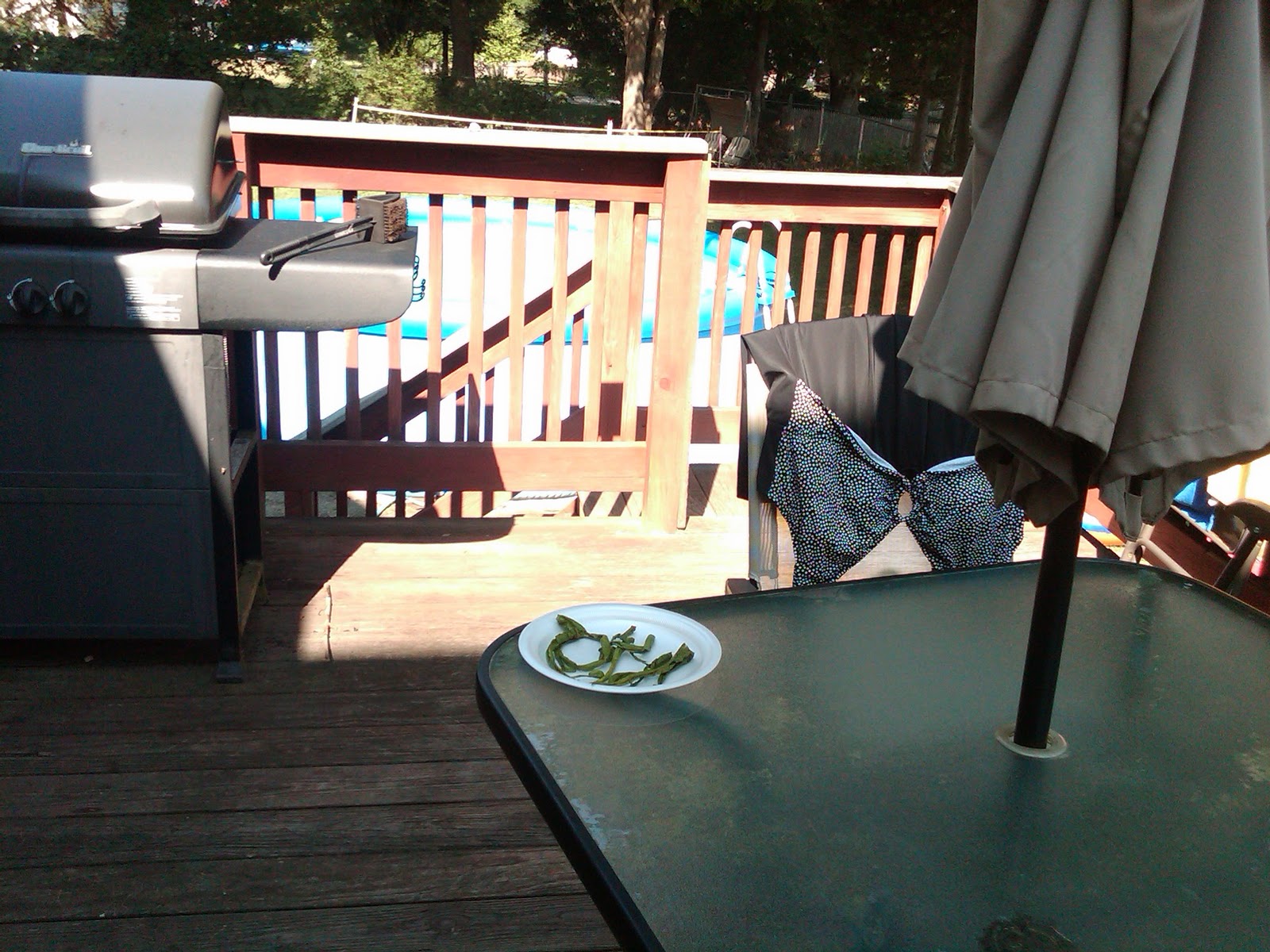
Ate outside (that's some chili peppers that will be drying in the sun.)

Listened to my book (and I'm reading one too!)

Drank 99 cent iced coffee's (thanks Cumberland Farms!!) - and the kids enjoyed the slushies..


and didn't bother to answer many (if any) emails....


The only thing that machine was good for this week was looking up directions and playing games.  I've got over 1400 emails to weed through and I decided, once I downloaded them that it would be easiest to just deleted all priors from my Blackberry and get to it on the laptop.  I've got lots to catch up on, including sharing some of my DreamWeaver DT cards, updating my blog links and getting into my studio to get started on some art. 

Sunday, June 27, 2010

Where to start....

So much has been going on since April, it's tough to know where to start!

Well since this is about the Adventures of a Craft Store Teacher let me start with the teaching bit...

I'm still working regularly at the Scrapbook Cupboard in East Bridgewater, MA. I'm still teaching online at My Creative Classroom. I've been asked to do a class at Bella Art in Johnston, RI in August and two other classes at Ink About It in Westford, MA in September. Art is definitely keeping me busy! On top of those great teaching opportunities, I might have a few others in the works too! Yippee!

So what type of art am I teaching? Mainly Metal, Copic Markers and Dreamweaver! I'm always loving my metal creations, my Copic markers get a lot of use! and Dreamweaver.... let me tell you a bit about this one.

In early May, a friend, Lynne mentioned to me that she saw a Design Team call for Dreamweaver stencils. When she saw it, the first person she thought of was me. So she immediately emailed me and mentioned it. We've carried Dreamweaver Stencils at the Scrapbook Cupboard for years and I've done a bunch of different classes with them as well as created a few new techniques with them too. I thought, heck... why not. I sent in these samples...


But.... they never got them.  Yup, still missing out there in la-la land!  Thankfully I have photos.  Lynell, from Dreamweaver was kind enough to call me and mention that my samples hadn't arrived, so I sent her the photos.  Even after my missing samples, I got the official Welcome Letter the following week!  YES!!  I am now an official Dreamweaver Design Team member!!  Yippee!!  I've received my welcome pack with some great stencils as well as a few NEW designs (I'm sworn to secrecy though.  Sorry, I can't divulge!!)  I've been busy making notes, creating and getting these samples ready.  And this time, I'm sending them through only priority mail with tracking and signature required!  I'm not loosing anymore precious samples out there in the world!  Lynell just gave us the OK to share some of our creations on our blogs (except those NEW designs) so I'll take some photos and post them!

I'm going to get back into the swing of the blog thing.  It's been a while and I have so much to say and so much to show too!  Right now, I'm going to go watch the kids while they swim in our new pool - that's another post!  I'll be back to creating art later today!

School's out ...for Summer?

Last night the Governor of Massachusetts cancelled all school until May 4th.  He did this on March 25th.  That is about 6 weeks of no sc...